Hello Patrick,
As July winds down and the dog days of summer heat up, so does the momentum behind RPR’s Next Gen Reports! This month, we’re marking a major milestone: the “Beta” phase is over, and we’re making a few key site navigation updates to enhance the user experience. Plus, our final reporting template—Commercial Site Selection—is now live.
Keep scrolling to learn more about the Legacy sunset and Next Gen Adoption!
Best regards, Valerie, Katie and Janelle
[email protected] |
|
|
Next Gen Reports Adoption |
To help promote Next Gen Reports as our primary reporting system, we’ve made the following changes: - The Beta phase is over: Beta has ended and Legacy Reports will sunset on November 4th.
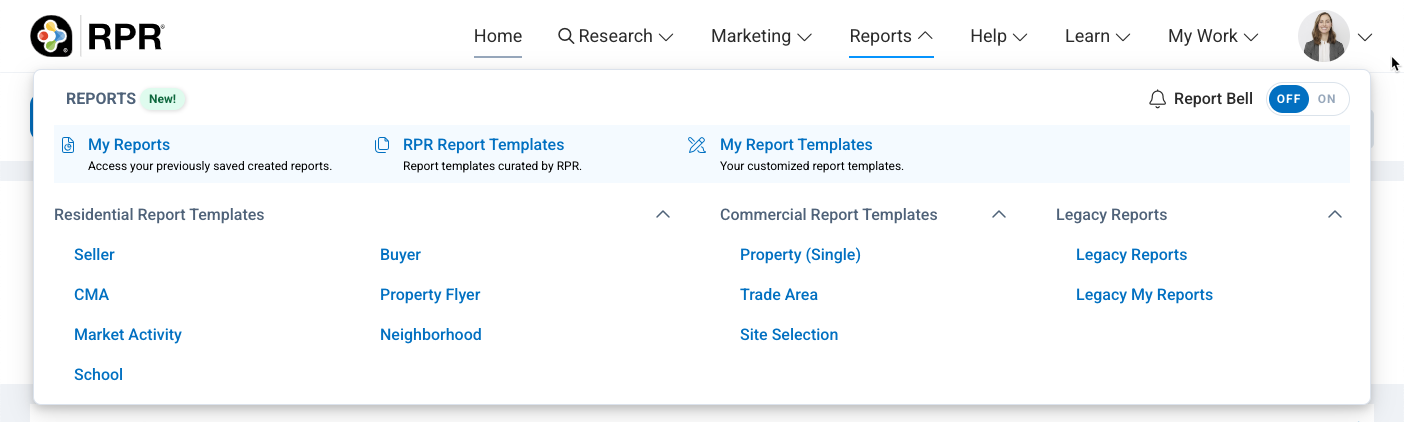
- Top Navigation/Reports Menu: The area within the Reports tab has also been redesigned. It now only has two Legacy Report options: Legacy Reports and Legacy My Reports, which direct to the Legacy Report generation page.
|
|
|
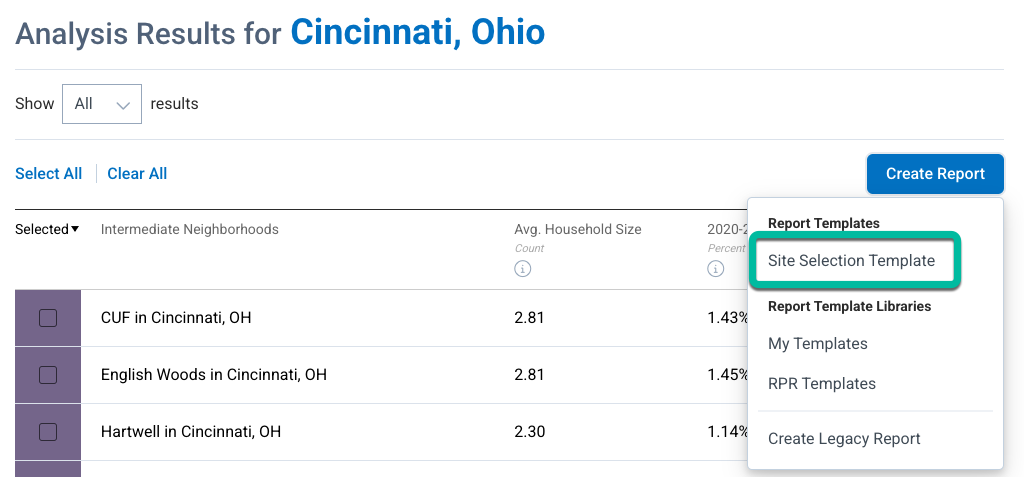
- Create Report Button: In an effort to increase and encourage Next Gen Reports adoption and usage, RPR site navigation has been revised. The biggest change you’ll notice is that the Create Report dropdown has been reorganized. It is now divided into two sections: Report Templates (a list of Next Gen report templates) and Report Template Libraries (RPR Templates, My Templates, and Create Legacy Report), which direct users to the Templates page and the Legacy Report.
- New Commercial Site Selection Template: We’ve added a Commercial Site Selection report template to our Next Gen report series! The Commercial Site Selection report template helps members identify the best locations for a business using customer demographic attributes and economic trends. There are no changes to the Site Selection workflow.
|
- Templates Preview Link: A Preview link has been added to the Templates page, enabling members to view the contents of a template before selecting one to use. We have also added a "Residential" tag to the Preview of residential templates. Previously, we only tagged commercial templates as commercial.
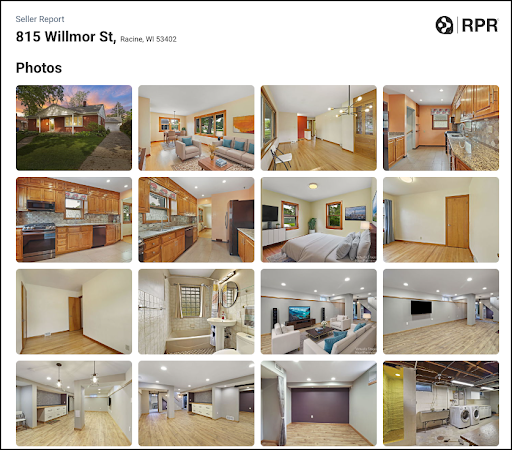
- Comp Property Details/CMA Photos: A new sub-element has been added to the Comp Property Details element located in the CMA section of the CMA, Buyer and Seller report templates. This sub-element allows users the option to include comp interior listing photos in their report. This enhancement has been a highly requested feature.
|
|
| RPR Mobile™ Updates Next Gen Reports |
Primary Reporting System: To help promote Next Gen Reports as our primary reporting system, we have updated the report creation workflow in parity with the website version.
Comp Property Details Photos: A new sub-element has been added to the Comp Property Details element located in the CMA section of the CMA, Buyer and Seller report templates. This sub-element allows users the option to include comp interior listing photos in their report. This enhancement has been a highly requested feature.
Buyer and Seller Templates' CMA Elements: The CMA, Buyer and Seller templates all contain the same CMA elements/sub-elements in the Property Summary, Pricing Summary and CMA sections. The Buyer and Seller templates include an additional CMA-related chart in their Pricing Strategy section.
|
These are just the major highlights of our July release. To see the whole comprehensive list, check out our Release Notes page. |
|
|
| Special Next Gen Reports Classes |
This webinar walks agents through RPR’s powerful new Next Gen Reports, which are now the default experience and set to fully replace Legacy Reports by November 4th. Trainers will get a step-by-step look at the modern Report Editor, customizable templates, drag-and-drop tools, the dynamic links and sharing features. With Legacy Reports retiring soon, it’s critical for users to adopt Next Gen now—this session shows them how to make the switch and take full advantage of these upgraded, client-ready tools. |
|
|
| Special Topic Webinar: RPR for Rental Research |
This RPR webinar is designed for agents who want to better serve clients in the residential rental market. Whether they’re helping renters, landlords, investors or homeowners deciding between selling or renting, they'll learn how to use RPR tools to search active rentals, create rental-focused Market Activity and Neighborhood Reports, share insights with clients, and tap into Rental Beast for tenant screening. |
|
|
| Trainer Pro Tip
Real Estate Turnover Calculator |
Turnover rate is the percentage of homes sold in a neighborhood over a certain period (usually a year). A high turnover rate is like a flashing sign for REALTORS®: it suggests active buyers, homes that don’t linger on the market and more opportunities to secure listings. RPR’s Turnover calculator allows you to compare neighborhoods to identify which ones have the best potential for you to prospect for new clients. |
|
|
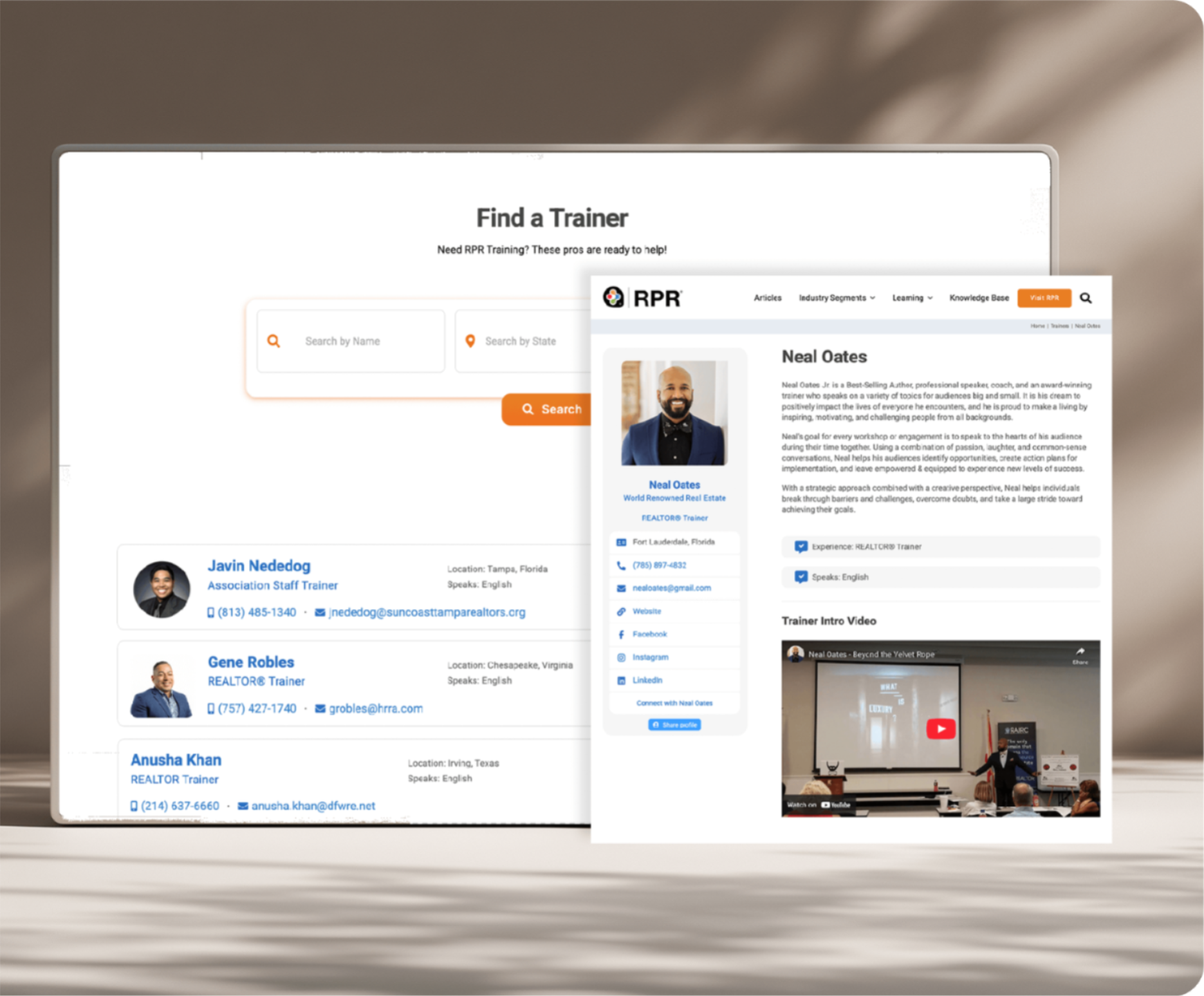
Promote yourself as an RPR Trainer—add a photo, a bio and social media links. You can even upload a short video of yourself! |
| |
|
You are receiving this email because you are a registered trainer for RPR. |
| If you need assistance, get in touch with us via our Help Center. |
If you need assistance, get in touch with us via our Help Center. |
Realtors Property Resource®, LLC, 430 N. Michigan Ave. Chicago, IL 60611 |
Realtors Property Resource®, LLC, 430 N. Michigan Ave. Chicago, IL 60611 |
|
|
|
|
|
|