
RPR App: July 2025 Release
What’s New in RPR Mobile™?
Researching properties on the go just got easier! Enhancements to our Property Details page allow you to access previous listings, view similar properties, and gain insight into residential trends. Read on to learn more!
RPR Mobile™ App
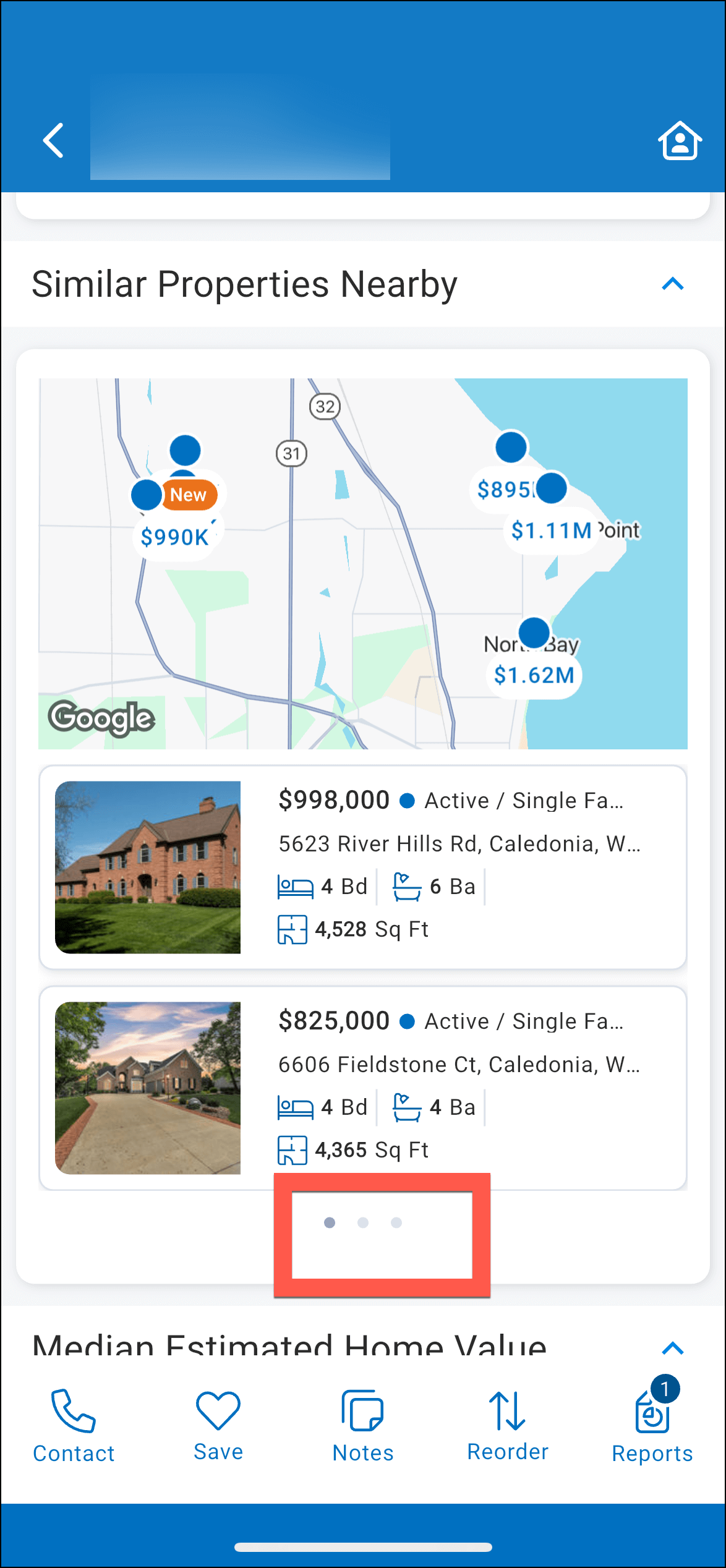
Similar Properties
A new section has been added to the Residential and Commercial Property Details pages, called “Similar Properties,” which displays up to 10 properties along with a map.
Here are the display rules:
Swipe left to view additional properties.
Commute
Enter a destination address, day of the week, and time of day in the new Commute section of the Property Details page, and the app will calculate the estimated time it will take to drive to the address from the subject property.
This is a great tool to use if your client wants to live within a specific drive time from their work, daycare, gym, or other points of interest.
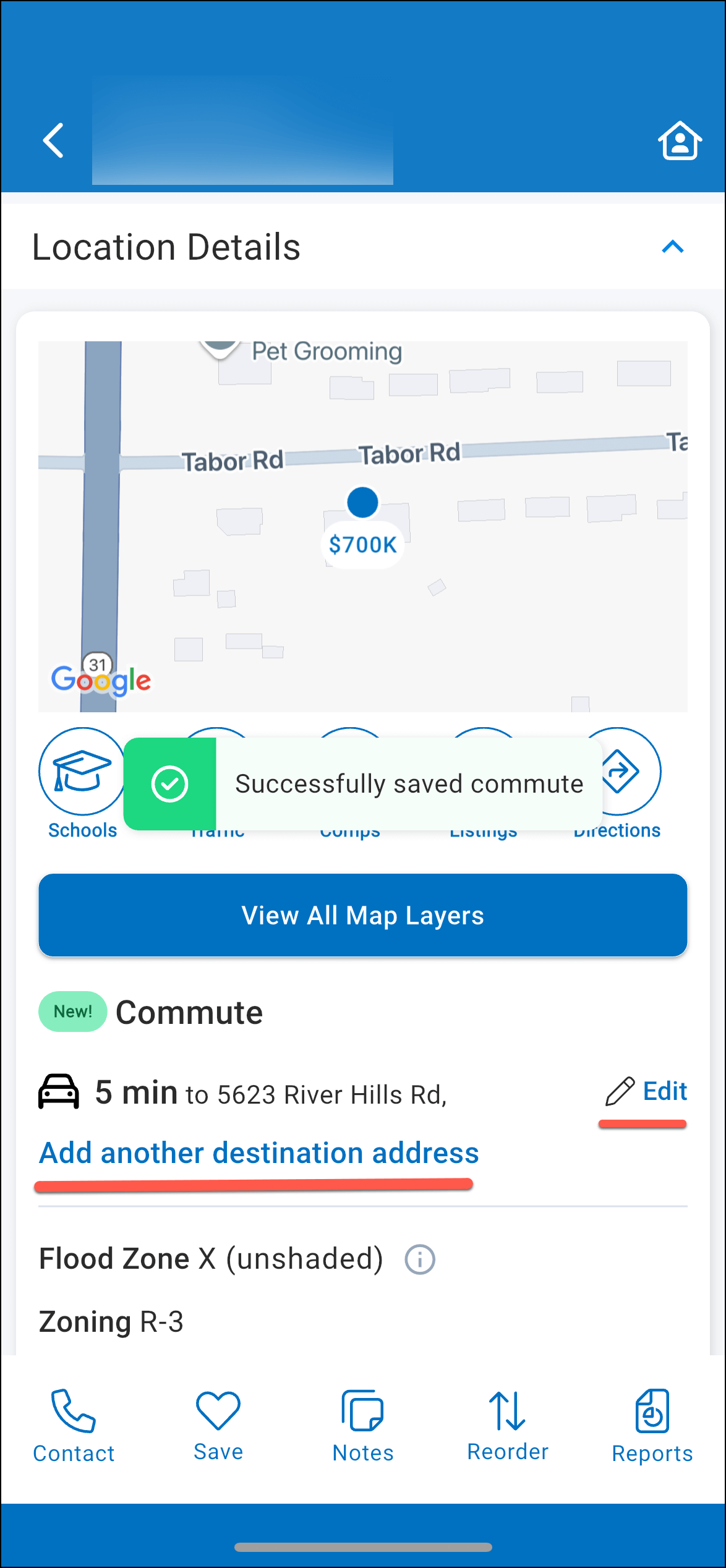
Up to five addresses can be entered, and each can be given a nickname (such as “work” or your client’s name).
The addresses will appear in the Commute section, and as you view additional properties, the app will calculate the estimated time to drive from each property to the destination addresses.
The addresses will remain until they are deleted from the Commute section on the Property Details page.
Market Trends
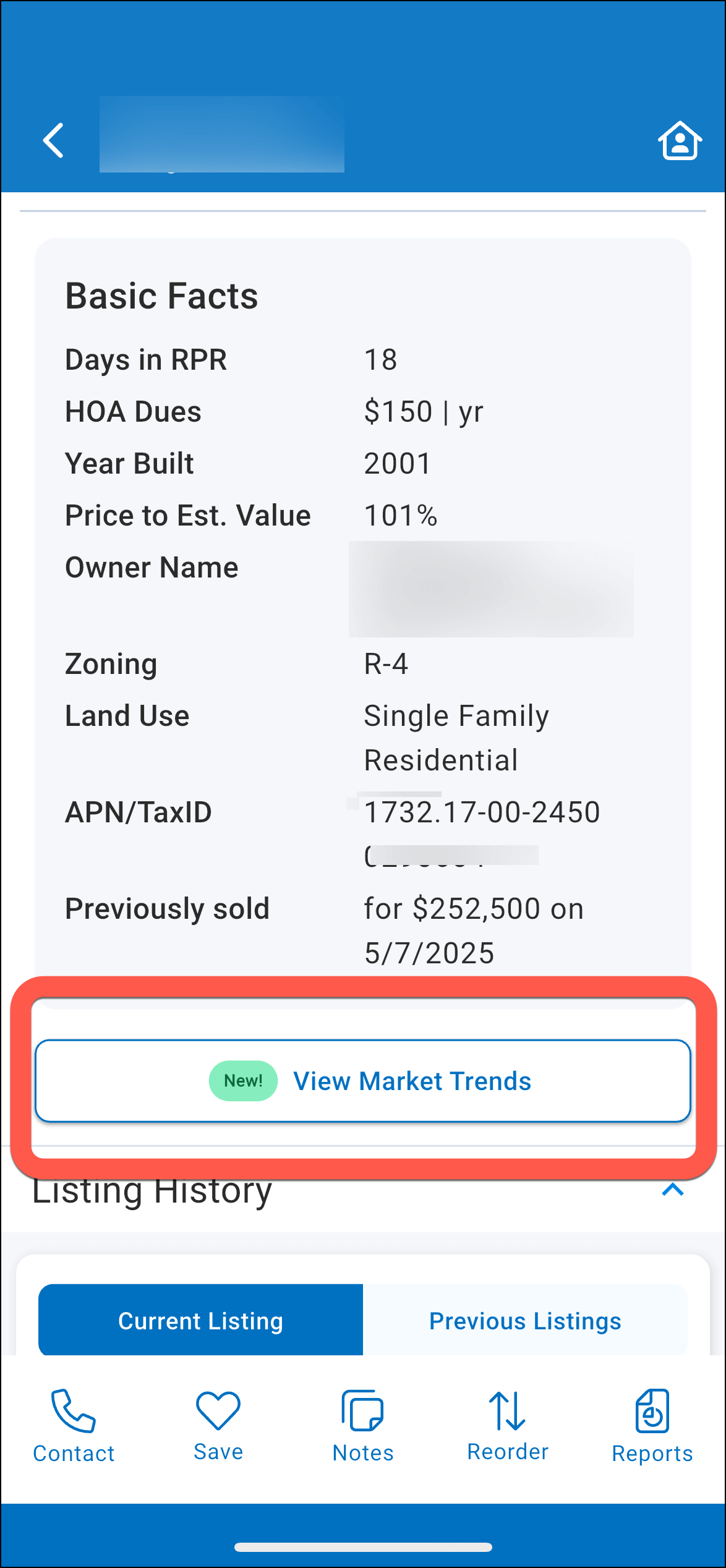
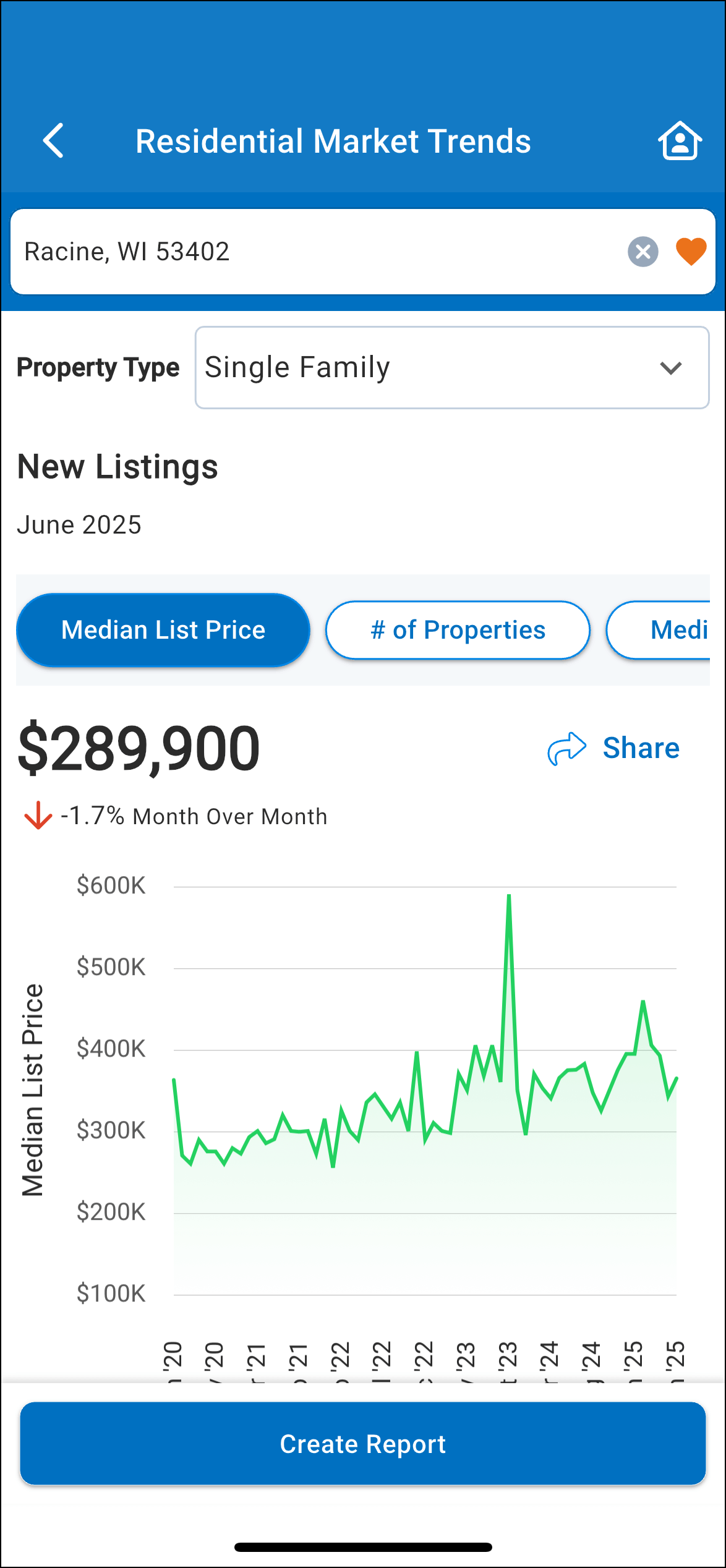
Market Trends can now be accessed from the residential Property Details page in addition to the Trends tab. RPR Market Trend charts offer insight into residential trends within a neighborhood, ZIP code, county, or city. Data can be drilled down by Property Type to allow an in-depth examination of a market area.
Comp Photos
You asked and we delivered! You can now include comp listing photos in your CMA or Advanced CMA, which can be displayed in a CMA, Seller, or Buyer report.
If this option is selected when customizing your report, the first 24 listing photos will be included after each comp’s Property Details in your report. In the Customize menu, go to the CMA section and find Comp Property Details, then select both Property Details and Photos (Property Details must be chosen to include Photos). This enhancement has been a highly requested feature from our members.
Previous Listings
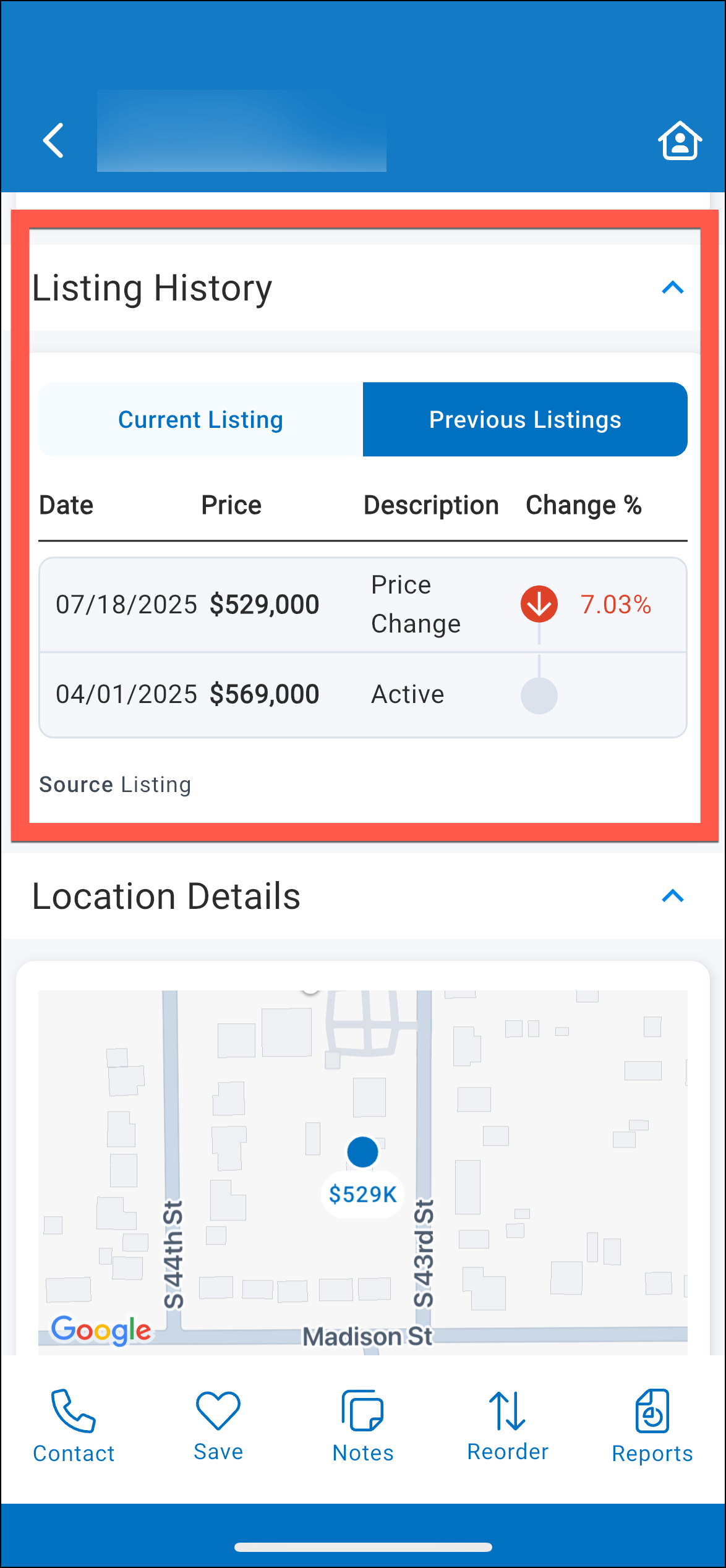
Previous Listings in the Listing History section have been updated to group listing events by Listing ID and description.
A long hold on a previous listing opens the previous listing.
New Report Elements
We have added a few new report elements to our Next Gen Reports.
Learn More
RPR version 3.25 will be released on July 30, 2025
Need Help?
If you need additional assistance, contact RPR Member Support at (877) 977-7576 or open a Live Chat from any page of the website.
