
Commercial: What is the Trade Area Report?
This article pertains to our Legacy Report System, which sunsetted on 11/04/2025.
For Next Gen Reports see: How to Create a Next Gen Report or What is the Trade Area Template?
The Commercial Trade Area Report breaks down a chosen area into socioeconomic and demographic segments. The primary segments, based on Esri Tapestry data, are displayed in numerical order with #1 being the most dominant. The residents’ characteristics and spending habits are explained in great detail.
Step-by-Step Instructions
Click on the tabs below to see step-by-step instructions.
Step 1 – Begin on Home page
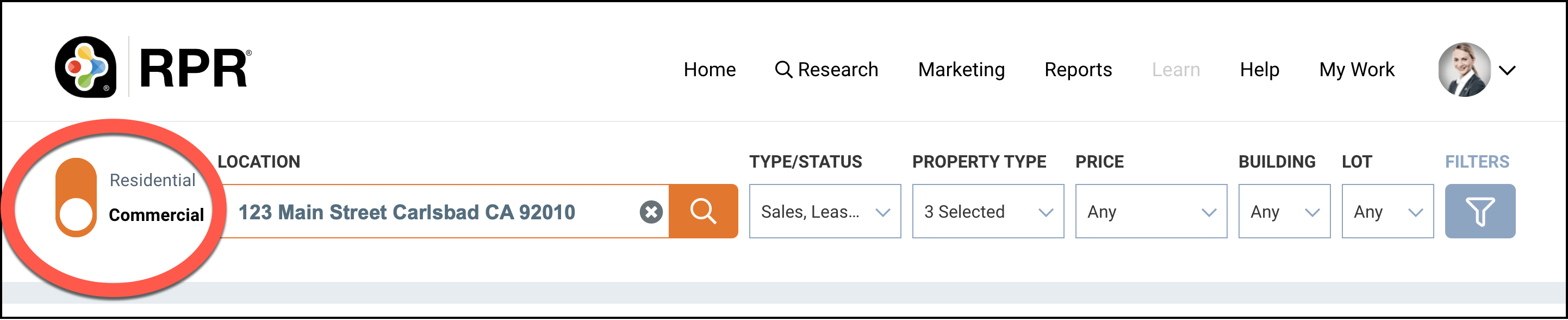
Make sure the toggle on the Home page is set to Commercial, then enter a property address in the search bar. Or enter an area in the search bar and select a specific property from your search results.
Property Summary
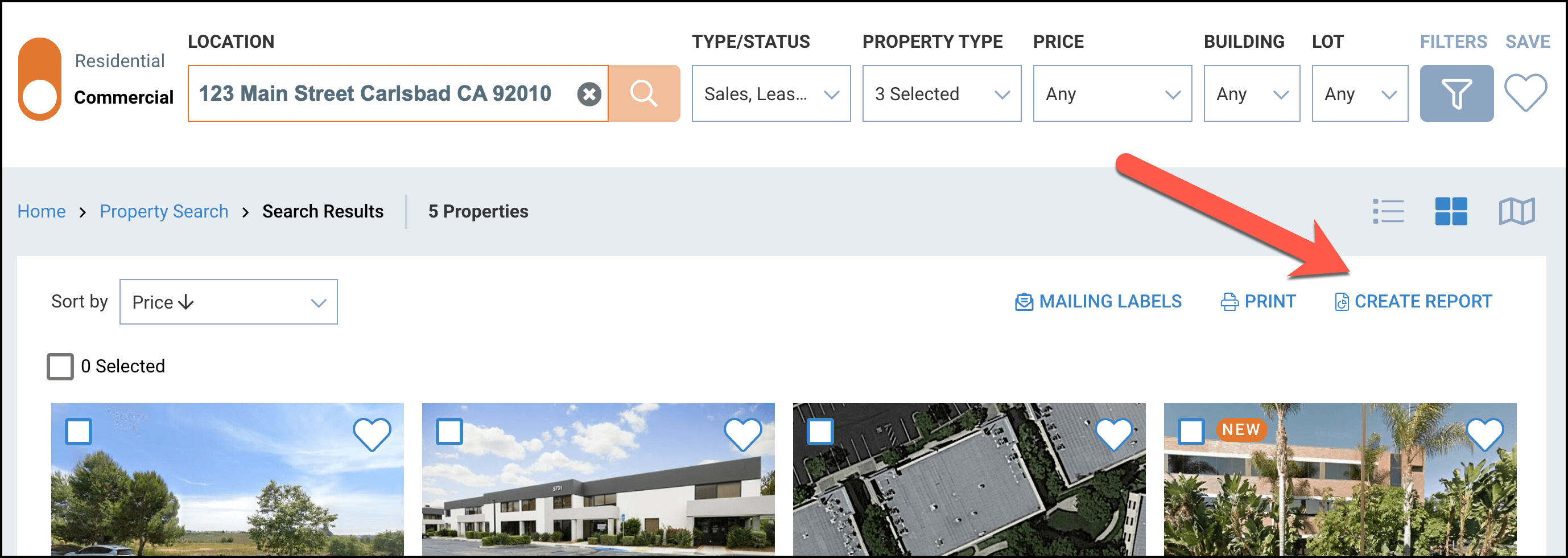
Click the CREATE REPORT button
Step 2 – Select Report and Customize
Click the plus sign to the right of the report title to choose the content you would like in your report.

Choose Content
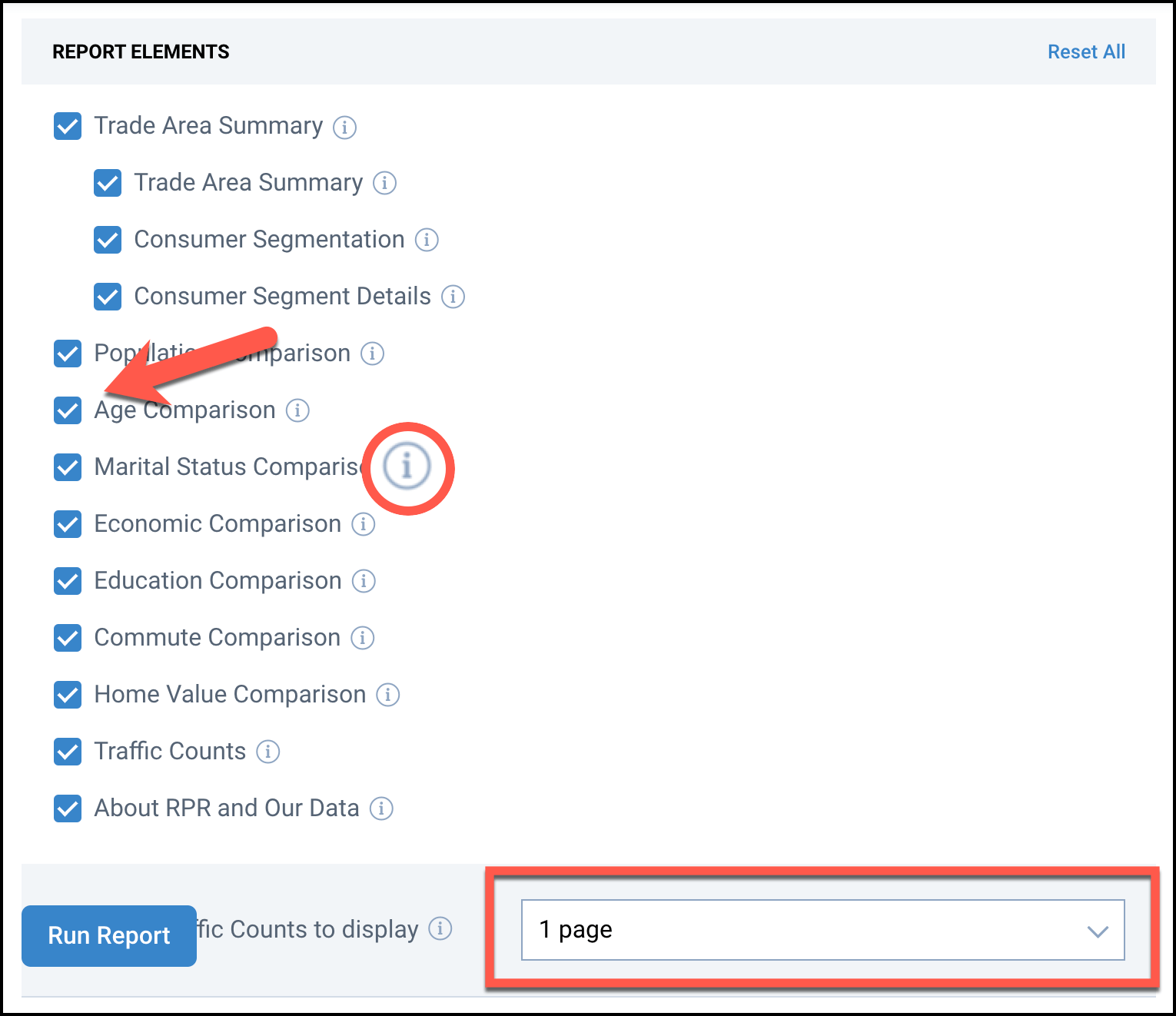
Put a checkmark next to the item you would like to include in your report. Take the checkmark out if you want to omit the item. Hover your cursor over each information i to see a description of the item. Choose how many pages of traffic counts that you would like to display.
Step 3 – Personalize Report
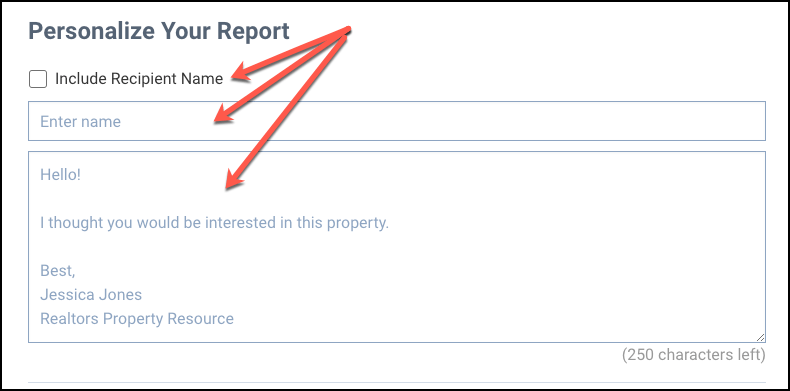
You can include a short message when emailing a report to your client. Skip this step if you do not want to personalize your report in this way.
Choose Delivery Method & Run Report
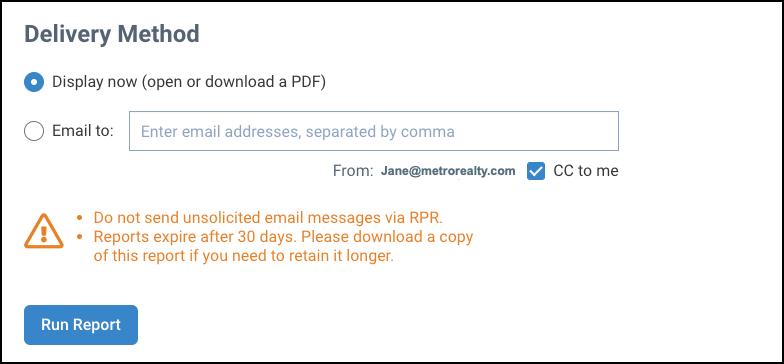
Choose either Display Now or Email to. Display now will open a PDF that can be saved to your computer. Email to will email a PDF to one or multiple email addresses (separate multiple email addresses with a comma). Click CC to me to receive a copy in your email inbox.
Click the Run Report button.
New! - RPR Next Gen Reports
Frequently Asked Questions
Click on the links below
On the Reports page, make sure the address or area is showing at the top of the page, then select which report you would like to create. Next, scroll down to the bottom of the page and select Email to. Enter the email address or multiple email addresses (separated by commas) in the field provided, then click the Run Report button.
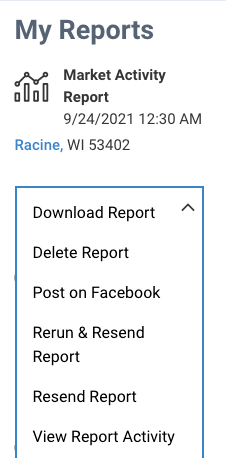
See who you sent a report to and when they last opened the report on the report generation page. Go to the My Reports section, then select View Report Activity from the Report Options drop-down.
The full Trade Area Report is about 18 pages. You can choose the content in your report by clicking the plus sign to the right of the report title. Hover your cursor over the information i (next to each element), to see a description.
Click the Reports tab and select any report title to be taken to the Reports page. Locate the report you would like to delete under My Reports. Under the report, click the arrow in the menu box, then select Delete Report.
Click the Reports tab and select any report title to be taken to the Reports page. Locate the report you would like to share under My Reports. Under the report, click the arrow in the menu box, then select Post on Facebook.
Need Help?
If you need additional assistance, contact RPR Member Support at (877) 977-7576 or open a Live Chat from any page of the website.
